In recordings like podcasts or online meetings, unnecessary pauses and silence are inevitable, significantly impacting the viewer's experience and lowering professional quality. Have you spent countless hours manually scanning audio waveforms to find and cut out these "dead air" segments? Users crave a tool that can automatically detect and losslessly cut these silent parts across multiple files.
MeowLoad's "Batch Remove Silence" feature will fundamentally change the way you edit. It employs advanced algorithms to intelligently identify silent regions across multiple video files, allowing you to remove them in a single batch operation. Learn how to let the software handle the most tedious editing work automatically, significantly reducing post-production time and delivering a fast-paced, professionally polished video.
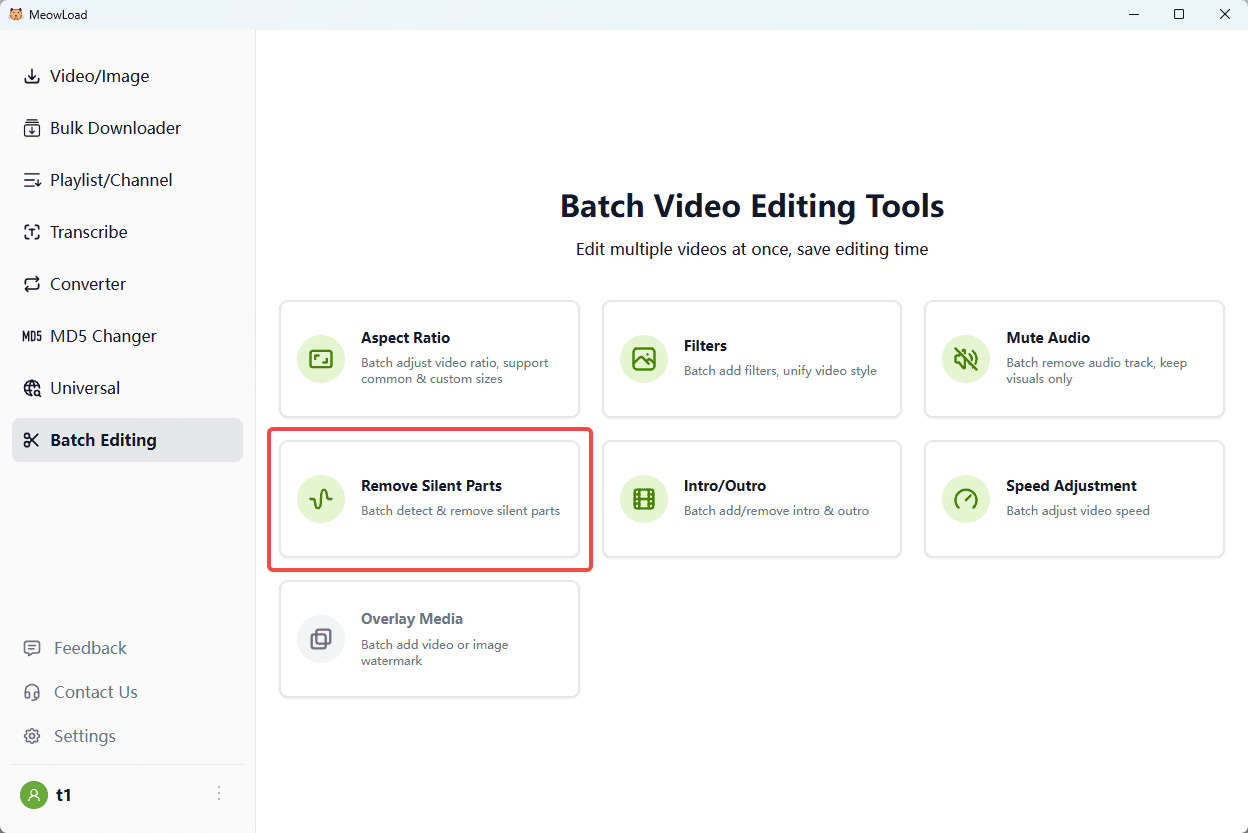
Step 1: Upload Files
Upload the footage that contains unwanted silences or "dead air."
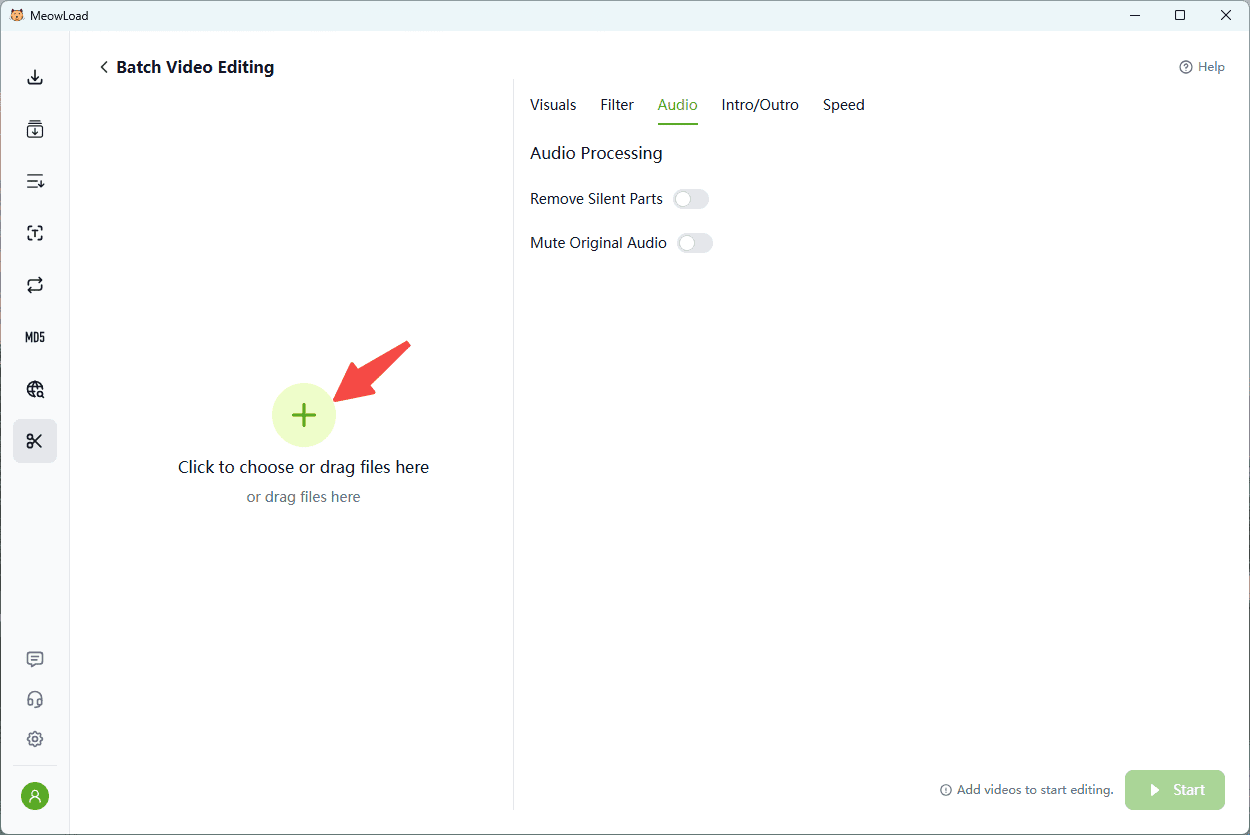
Step 2: Adjust Threshold
Enable "Remove Silent Parts" and set the silence duration threshold to define what should be cut.
Step 3: Auto-Cut Click Start.
The tool will automatically detect and remove gaps, leaving you with a seamless edit.
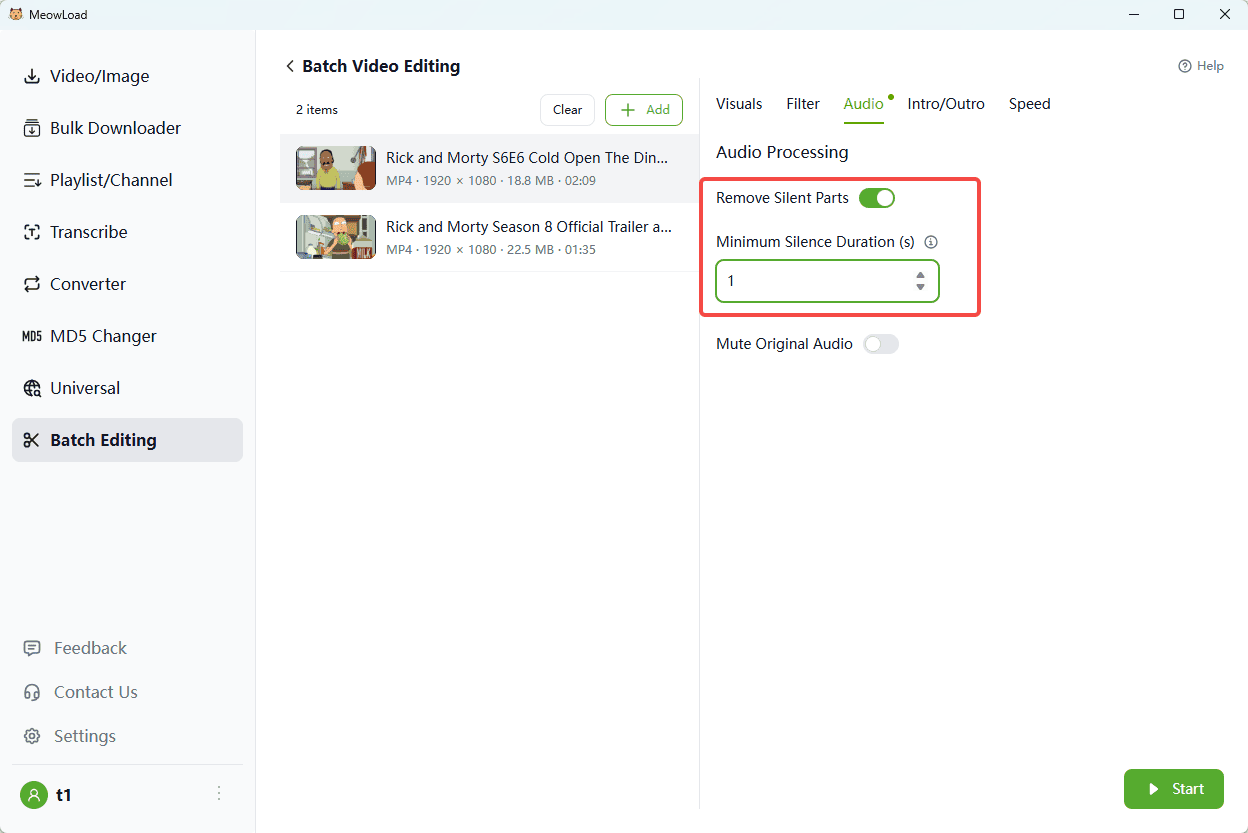
Step 4: Complete
Once the download is complete, click the folder icon to check out your files.